JianYing Editor Skill
An agent skill that edits in JianYing by writing the app’s own project files, and drives the app for the parts that are not files.
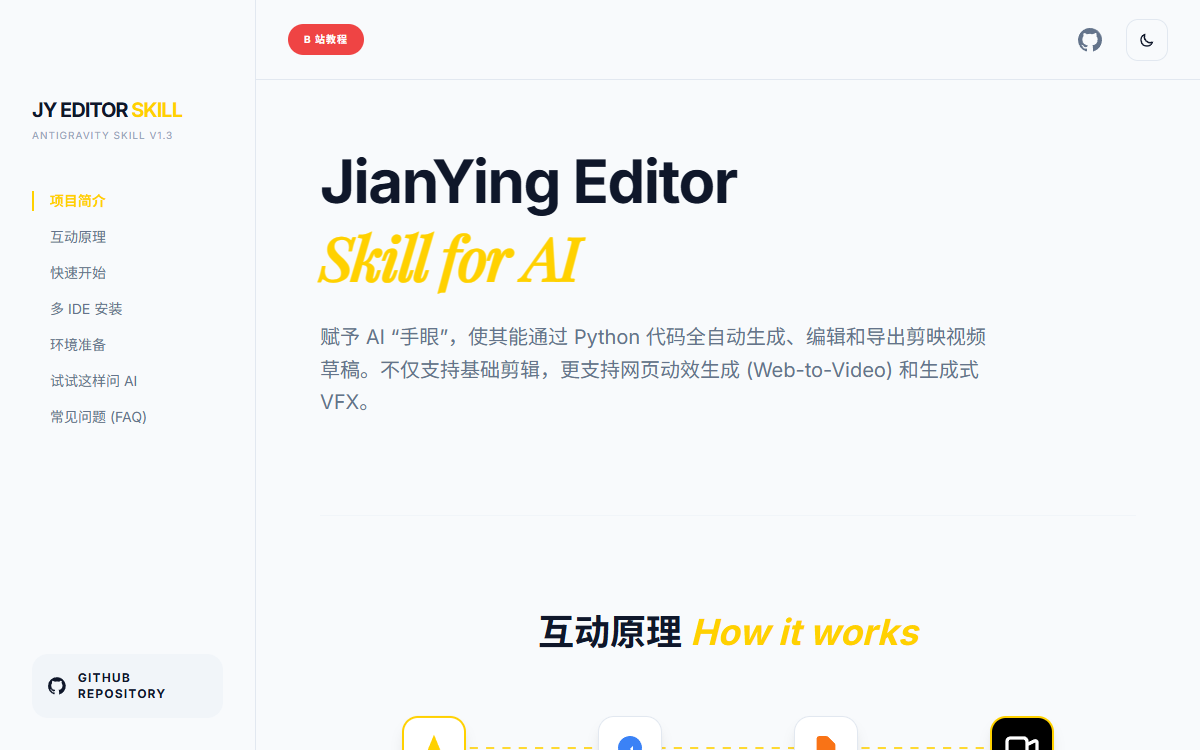
What it is
JianYing Pro keeps a project as a folder on disk. draft_info.json holds the timeline, draft_meta_info.json the project metadata, and every file the skill imports is copied into that folder beside them. This repository is a Python wrapper around that folder, packaged as a skill an agent loads before it starts editing. JyProject creates or opens a draft, appends clips to named tracks, resolves effect, filter, transition and animation names through synonym tables, turns a script into a voiceover and lays a subtitle under each generated sentence for exactly as long as that sentence’s audio, and writes the keyframes behind zoom moves. Twelve CSV files index the app’s own cloud music, sound effects, video material, filters and transitions by id, so an agent can choose from JianYing’s library by Chinese name. Screen recording runs through ffmpeg with a Tk window that logs clicks; a browser animation becomes a clip through Playwright. Export is the one step that leaves the file system, and the one that differs by platform.
Who built itOne GitHub account, created in 2016, with 148 public repositories and 60 followers. The repository has 3,858 stars, 492 forks and 16 watchers. Its contributor table names three people besides the owner: @twodogegg for the macOS work, @shaozheliu for the media-missing fix on 5.9 and @Maxinsomnia for macOS draft support. 114 of the 117 commits on main are the owner’s.
How it is put together
The parts · 6The draft folder is the interface and the app is the renderer. A JianYing project is a directory with its own JSON and its own copies of the media, so a program that writes that directory has done everything the app’s timeline would have done, without touching a single control. The skill goes as far as that goes, and where it stops it changes method rather than pretending: the render itself, the real-time GPU effects and the app’s built-in one-click features are either driven through the app’s interface with UI Automation and a browser, or left to the person. Two lookup layers sit between an agent and the format: the CSVs under data/ map Chinese names for music, effects, filters, transitions and text animations to the ids the draft format expects, and synonym tables resolve whatever the agent wrote to whichever enum the vendored library defines.
- SKILL.md and rules/
- The contract the agent reads first: which script to run for which request, the mandatory bootstrap that locates the skill root, and eleven rule files covering setup, media, text, keyframes, effects, recording, CLIs, web VFX, generative editing and voice.
- scripts/jy_wrapper.py and scripts/core/
JyProject, built from four mixins, over a base class that creates, loads and repairs drafts, sanitises names, guards paths and releases the app’s project lock.- scripts/vendor/pyJianYingDraft/
- GuanYixuan’s draft-format library, Apache-2.0, carried in the tree with its own LICENSE and a list of local patches. It turns segments, tracks, materials and keyframes into the JSON JianYing reads.
- data/
- Twelve CSVs that make the app’s own library searchable by name: cloud music, sound effects, cloud video, filters, transitions, scene effects, text animations, intro and outro animations, TTS speakers and the local audio cache.
- tools/recording/ and the capture scripts
- The half that produces footage rather than reading it: a Tk recorder over ffmpeg that logs clicks, the smart-zoom keyframes built from those clicks, and a Playwright recorder that turns an HTML animation into a clip.
- tests/ and .github/workflows/ci.yml
- One test file of 19 cases, a lint and format pass over a named list of scripts, a repository-hygiene check and a data-schema check, all on
windows-latestwith Python 3.12.
Choices, and the alternative
Write the draft and let JianYing render it over a program that renders video by itself
The README draws the line in its own words: this is not a replacement for JianYing, the rendering and the preview playback stay with the app, and the tool’s job is to build the timeline and click export.
Carry pyJianYingDraft inside the repository over installing it as a dependency
scripts/vendor/README.mdrecords the patches made in place: the 5.9+draft_info.jsonlayout, a stablelocal_material_id, anffprobefallback and geometry normalisation. Those patches are the product, so the library travels with it.Copy imported media into the draft folder over pointing at the file where the user keeps it
Written up as the v1.7.0 fix: an empty
local_material_idcombined with JianYing clearing its own transient files produced the 5.9+ “media missing” error, and a draft that carries its own copies depends on neither.Run the agent’s edit scripts from the user’s project over writing them inside the skill directory
SKILL.md makes this rule one and gives the reason with it: the skill folder holds the tools,
git pullupdates it, and business code mixed into it breaks that.
Read fromREADME.md, SKILL.md, docs/api.md, docs/agent-playbook.md, rules/, scripts/vendor/README.md, CHANGELOG.md, VERSION, requirements.txt and the code under scripts/ and tools/ in luoluoluo22/jianying-editor-skill, read 2026-10-10.
Build log
5 stages- 01
The repository is a folder an agent reads, and much of it is data
The skill is 184 files, and 47 of them sit under
assets/: three bundles of JianYing’s own artist-effect assets, with aneffect.prefab, amain.scene, materials, textures and GLSL shaders, plus an 8-file demo set led by a 3 MB test video. The other 137 files come to about 2.6 MB, and the largest of them is not a script. It isdata/cloud_music_library.csvat 262 KB, an index of music ids JianYing’s cloud already holds.SKILL.mdis 10 KB and is the first thing an agent reads;rules/adds eleven files. GitHub counts the repository as Python first, HTML second and GLSL third, and the GLSL is all inside the effect bundles. The repository was created on 2026-01-24, andmaincarries 117 commits between 2026-01-27 and 2026-09-11, 114 of them from the owner’s account.VERSIONreads 1.7.0 and the newestCHANGELOG.mdentry is dated 2026-09-11. No release or tag has ever been published. - 02
One JSON file is the whole interface, and someone else wrote the mapping
A project is edited by composing
draft_info.jsonbefore JianYing opens it. The mapping from that JSON to Python objects is not written here:scripts/vendor/pyJianYingDraft/is a copy of GuanYixuan’s pyJianYingDraft under Apache-2.0, Copyright 2024, carrying its own LICENSE, andscripts/vendor/README.mdlists the local patches the way that licence asks. Those patches are the reason for vendoring: the draft format was moved to thedraft_info.jsonlayout 5.9 and 6.x use,local_material_idis generated from the file name so clips stop going missing, and probing falls back toffprobewhenpymediainfois absent.requirements.txthas no entry for it, so the skill runs from a clone. On top of that libraryscripts/jy_wrapper.pyis 70 lines and assemblesJyProjectfrom four mixins. Itssave()does more than write. It patches the material ids of cloud assets the draft refers to and forces adjustment nodes active, because a draft naming a cloud item without those fields opens with the item missing. - 03
The app locks its own drafts, so the wrapper asks it to let go
Resolution is decided at the first
JyProject(...)call and defaults to 1920x1080, and the rules warn twice that a portrait project created with the defaults comes out with black bars. On Windows, JianYing holds the project folder open while that draft is on screen, and creation raisesPermissionError. The wrapper retries three times, and between attempts it reaches into the running app throughuiautomation, reads whether it is on the home page or the edit page, and sends it home before trying again. A draft folder missing its JSON is treated as corrupt and, withoverwrite=True, deleted and rebuilt. Names are sanitised and every path is checked against the drafts root before anything is removed, which is what the v1.5.0 notes mean by blocking path traversal. - 04
Voiceover is the app’s own service, called with keys read off the machine
scripts/universal_tts.pydoes not use a cloud account of its own. It reads a device id out of JianYing’s local TTNet configuration and aniidout of the newest log files under the app’s user data, then opens a WebSocket tosami.bytedance.comwithapp_id3704 and an app key that ships inside the source, under a User-Agent identifying itself asJianyingPro/5.9.0.11632. An environment variable can turn TLS verification off, and the script prints a warning when it does; by default verification is on, which the v1.5.0 notes list as a fix. When that call fails the fallback isedge-ttsand Microsoft’s voices.add_narrated_subtitlessplits a paragraph on Chinese punctuation, generates one audio file per sentence, and puts a text segment over it whose duration is that audio file’s own duration, so the subtitle cannot drift away from the voice. The backend that answered first is then locked for the rest of the paragraph: if it fails later the call raises, rather than finishing the video in a second voice. - 05
Everything that is not a file write is a click or a browser
tools/recording/recorder.pyis a Tk window that drives ffmpeg, usinggdigrabanddshowon Windows andavfoundationon macOS, whilepynputwrites mouse and keyboard events to a JSON file beside the recording.scripts/smart_zoomer.pyreads those clicks back as keyframes: push in, hold, return. For effects the app does not ship,scripts/web_recorder.pystarts a Playwright browser, records the page to video and waits for the animation to setwindow.animationFinished, with a 30-second ceiling. Export is where the tool leaves the file system entirely:scripts/auto_exporter.pyclicks the app’s export dialog through Windows UI Automation. Called on macOS it returns exit code 2 with the message that the draft should be exported from JianYing by hand.
What they would tell you
- Auto export is Windows only, and the README names JianYing 5.9 or older as the version it is stable on. Called on macOS,
scripts/auto_exporter.pyexits with code 2 and tells the caller to export by hand. - The README rules three things out before anyone installs it: CapCut, the international build, is not supported at all, neither is the phone app, and the features that run on JianYing’s GPU, such as smart matting, beauty filters and speech-recognition subtitles, cannot be called from code.
- The app updates itself and there is no way to stop it, which is open issue 24. A newer build moves the controls the export automation clicks, so a JianYing update can break the last step with nothing in this repository changing.
- Six issues are open. One, filed 2026-09-16, reports seven places where a failure yields a finished video that is wrong instead of an error; another, filed 2026-09-22, asks media probing to degrade instead of aborting an import when
ffprobeis missing. - The recorder’s “自动生成智能草稿” button runs
scripts/jy_wrapper.py apply-zoomwith--name,--videoand--json.jy_wrapper.pyhas no argument parsing; its__main__block creates a project calledRefactor_Test_Projectand never reads those flags. The function that would apply the zoom,apply_smart_zoominscripts/smart_zoomer.py, is imported by nothing and opens with a relative import that fails when the file is run on its own.scripts/smart_rough_cut.pyimports anapi_clientmodule belonging to a different skill, and catches the failure with a warning that leaves both of its names set toNone.
Adjacent records
All records →No. 114
Wake
A native desktop app that reads the private session directories of every coding agent on the machine, read-only, and gives them one window: browse by agent or project, full-text search that treats Chinese text and code substrings alike, one-click resume in the original project directory, a bundled MCP server and a command line so the agents themselves can read the history back, and remote hosts mirrored over SSH.
No. 089
Zeron
A Rust desktop app that runs the coding agents you already use (Claude Code, Codex, Cursor, Devin, Grok, Hermes, Pi and Antigravity) on your own machine, with no account required, and syncs the sessions to your other devices only if you sign in.
No. 133
AI Employees
Eight open source AI Employees, each a folder of scheduled routines that covers a whole business role, running on your own machine on the agent you already use: they drive the browser you are signed in to the way you do, draft and stage the work and leave the last click to you, get better at your business on every run, and every file they touch is yours.