Phone Harness
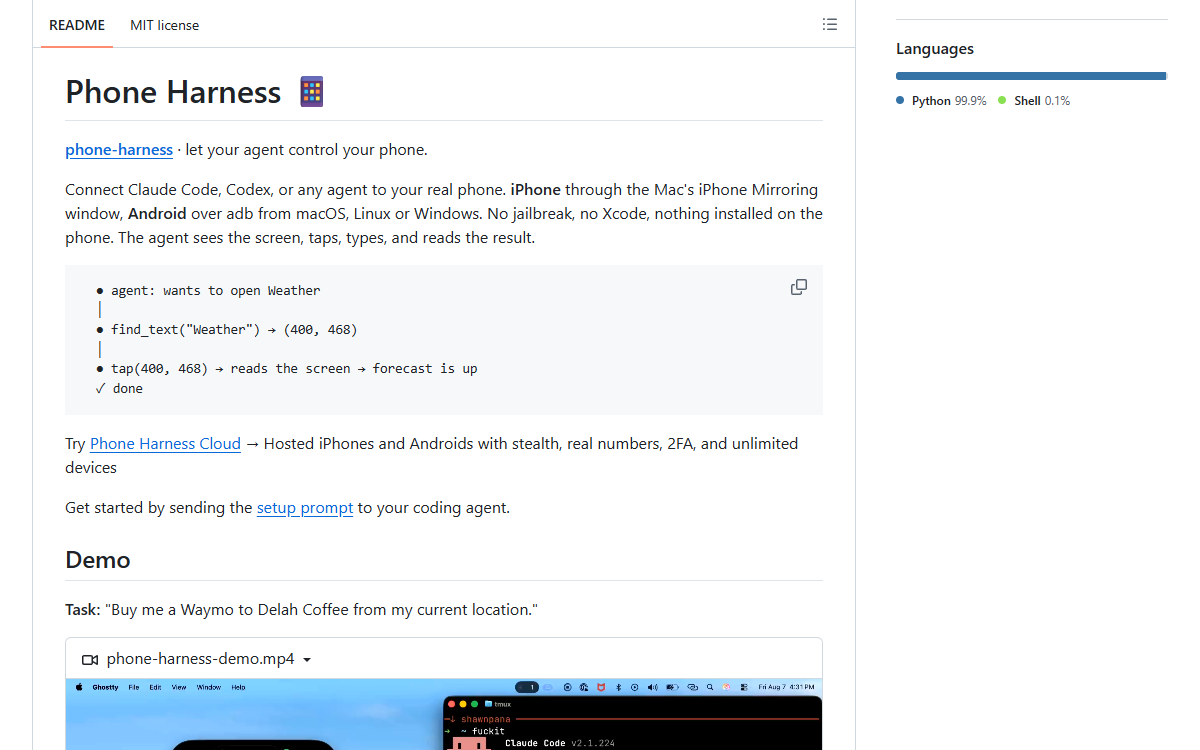
A Python library and an agent skill that put a real iPhone or Android phone under a coding agent’s hands: the agent reads the screen through OCR or the accessibility tree, taps and types through HID events or adb, and then looks again to check what happened. Nothing is installed on the phone and there is no jailbreak — on a Mac the phone is an iPhone Mirroring window, elsewhere it is adb over USB or Wi-Fi.
What it is
A harness that puts a real phone at the end of an agent’s tool calls. The agent writes a short Python script — open_app, tap, tap_text, type_text, screenshot, ocr — and the harness runs it against the phone, then hands the screen back so the agent can check what happened. Two backends share one set of helpers. On an iPhone the Mac’s iPhone Mirroring window is the phone: the harness captures that window, reads text out of it with Apple’s Vision framework and returns tap-ready coordinates, and posts HID-level mouse and keyboard events for taps, swipes and typing. On Android, adb is the transport — screencap for the picture, the phone’s accessibility tree for text, input for the hands — over USB or Wi-Fi, with no window involved. Nothing is installed on the phone and there is no jailbreak, and when there is no device on the desk a hosted service rents Android phones, and iPhones, that answer to the same helpers.
Who built itThe repository is effectively one person: the GitHub account ShawnPana wrote 97 of its 98 commits, 66 of them from an address at ucsd.edu, and the contributor list in the recon report carries that one name. The README says the project is free and maintained in the author’s own time, and a funding file and a sponsor section ask for support. 52 of the 98 commits carry a co-author trailer and 48 of those name a Claude model — Claude Fable 5, Claude Fable 5.1 or Claude Opus 5 — so most commits arrive with a model credited beside the author. The remaining commit comes from an unlinked account, ayataro48, which GitHub does not tie to a user.
How it is put together
The parts · 6The shape is a local bridge between a coding agent and a phone, built on facilities the phone already exposes. The agent never touches the device: it submits a Python script, the harness executes it against a fixed vocabulary of helpers, and each helper hands back what it saw so the agent can verify its own step before taking the next one. That is why nothing has to be installed on the phone — iPhone Mirroring is already a Mac window that accepts mouse and keyboard, and adb is already a command channel — and why the repository has no companion app to build, sign or ask anyone to trust. The places where the two platforms refuse to match are kept apart on purpose: one contract with two backends, OCR on the iOS side because there is no tree to read through the mirror, the accessibility tree on Android, and a hosted layer that hands out phones which already speak adb, with a session carrying either an adb block or a control link holding a URL and a token.
- src/phone_harness/
- Thirteen files and 188 KB, the whole program.
android.pyat 42 KB is the largest, thencloud.pyat 34 KB,mirror.pyat 29 KB,helpers.pyat 23 KB,background.pyat 16 KB,config.pyat 11 KB,ios.pyat 8.5 KB,run.pyat 7.8 KB,transport.pyat 7 KB,admin.pyat 5.9 KB,telemetry.pyat 5 KB,ocr.pyat 2.1 KB, and an empty__init__.py. - helpers.py
- The vocabulary a submitted script is written in, pre-imported so a script is only the steps. The names that appear across the README, the issues and the pull requests are
open_app,tap,tap_text,type_text,find_text,screenshot,ocr,screen_info,image_point,tap_image_point,press,home,app_switcherand the polling helperwait_stable, and both backends have to answer to all of them. - The iOS path: mirror.py, background.py, ios.py, ocr.py
- Capturing the iPhone Mirroring window and posting events into it, plus a background mode whose purpose is to let the user keep working on the Mac while the agent works the phone.
ocr.pyis the text reader over Apple’s Vision framework, and it is the piece a Linux or Windows Android host used to trip over, because it imports Quartz and Vision at module level. - The command line around it
phone-harness, a 165-byte launcher, withrun.pyexecuting the script that arrives on standard input,config.pyholding the default platform and the saved settings,admin.pybehind--doctorand its permission checks, andtransport.pyandtelemetry.pybeside them.- The agent-facing documents
SKILL.mdat 17 KB is the day-to-day guide and the largest document in the repository, more than four times the README;install.mdat 5.8 KB andonboarding.mdat 4.1 KB carry the setup and the walkthrough that the setup prompt hands to an agent, andagent-workspace/agent_helpers.pyis 773 bytes of material for the agent’s own workspace.- tests/ and .github/workflows/
- Three test files and 27 KB, dominated by
test_cloud.pyat 18.7 KB, withtest_android.pyat 6.2 KB andtest_backend_contract.pyat 2.6 KB holding both backends to the same interface.ci.ymlat 1.6 KB andpublish.ymlat 1.3 KB are the entire automation, andpyproject.tomlis 1.8 KB.
Choices, and what they beat
Drive the iPhone through the Mac’s iPhone Mirroring window over installing a companion app on the phone, or requiring a jailbreak
The README states the benefit with the mechanism — “No jailbreak, no Xcode, nothing installed on the phone” — and describes Mirroring as rendering the phone as a Mac window that forwards mouse and keyboard as touches. The cost is written down in the same document: unlocking the phone pauses mirroring, and the harness can only see what the window shows, which is what issue 106 is about.
Read the iPhone’s screen with OCR instead of a view hierarchy over the accessibility-tree route used on Android
The README separates the two sources rather than claiming parity: Android text comes from the phone’s accessibility tree, iPhone text comes from Apple’s Vision framework over a capture, returned as tap-ready coordinates. The price is stated too — “OCR sees text, not icons”, so an unlabeled control needs a screenshot and a vision-capable model — and issue 91 is the same limit from another angle, since the recognition languages were never set and a Chinese phone read back as Latin.
One helper vocabulary over two backends over a separate interface per platform
“Same helpers on both” is the README’s one-line claim, and
config set platform ios|androidchooses a default rather than a vocabulary. The hosted phones are pulled in on the same terms because they are Android phones reached over adb, so “every helper works on them unchanged”, andtests/test_backend_contract.pyexists to keep the claim testable instead of aspirational.adb as the Android transport rather than something on the device over an agent running on the phone itself
The README names the three pieces —
screencapfor capture, the accessibility tree for text,inputfor the hands — and notes that it works over USB or Wi-Fi with no window needed. The consequence goes into Limits instead of being hidden: a PIN-locked Android needs the user, and connecting the phone is always the user’s job.Offer the hosted phone after the user’s own phone and the demo over offering it during setup, before Verify and Demo
PR 80 moved the cloud offer to step 6 with the reason written out — “a new user was pitched a second phone before seeing their own work” — and PR 79 sets its terms: one question with three answers, the sign-in and any waitlist left to the user in a browser, and no spending beyond a single read-only proof.
A temporary hosted session for throwaway work over reusing the saved phone that is already attached
PR 82 states the fault and the fix together:
cloud start --tempused to reuse an attached saved phone, so “the requested throwaway mode can operate on persistent data”. It now starts a temporary session, leaves the saved one running and says so, and keeps the previous attachment if the temporary creation fails.
Read fromREADME.md (3,877 bytes in the file tree, including “How it works” and “Limits”), the complete 29-file tree with byte sizes, install.md, onboarding.md, SKILL.md, and the pull request bodies of 79, 80, 82, 102, 103, 104 and 105. The structure list is built from the tree sizes; the decisions are taken only where a document states the choice and its reason. The repository contains no architecture document — the recon report looked for one and found none.
Build log
5 stages- 01
Seven weeks, three releases, one backend nobody planned for
The repository was created on 2026-08-07, and the first commit landed the same evening: “phone-harness v0: iPhone control via iPhone Mirroring”. The report counts 98 commits — 82 in August and 16 in September — with the newest dated 2026-09-20, while the API records the last push on 2026-09-27. Six tags exist (
0.1,0.1.0,0.1.1,0.2.0,0.2.1,0.3.0) and three of them are full releases, and the release titles are the roadmap in three lines:0.1.0on 2026-08-17,0.2.0 — Androidthe next day,0.3.0 — Cloud (Android)on 2026-09-20. So the iPhone path, which is the oldest code in the tree, was joined by an Android backend within eleven days and by a hosted one about a month later. Around that sit 3,120 stars, 321 forks and 16 watchers on a 445 KB Python package under the MIT licence, with topics that readagent,ai,automationanddeveloper-tools, and with 55 open issues and pull requests as the API counts them. - 02
Two ways to reach a phone, one vocabulary
The README gives one paragraph to each platform, and the file sizes say where the work went:
src/phone_harness/android.pyis 42 KB, the largest file in the repository, followed bycloud.pyat 34 KB andmirror.pyat 29 KB, againstocr.pyat 2.1 KB. On Android the transport is adb —screencapproduces the picture, the phone’s accessibility tree is the text source,inputis the hands — over USB or Wi-Fi. On iPhone the phone is a Mac window, so the harness captures that window, OCRs it through Apple’s Vision framework for text with tap-ready coordinates, and posts HID-level events for taps, swipes and typing. A script arrives on standard input with the helpers already imported; the README opens with the shape of one, where the agent callsfind_text("Weather"), gets(400, 468), taps there, reads the screen and reports that the forecast is up. What the two backends share is a contract, not a coincidence:tests/test_backend_contract.pyholds them to it, andphone-harness config set platform ios|androidchooses a default rather than a second vocabulary. Setup is a prompt pasted into an agent: clone into~/.phone-harness, readinstall.md, putphone-harnesson the PATH, register it as a skill and walk throughonboarding.md. - 03
The permission belongs to whichever app launched it
On macOS the harness needs Accessibility and Screen Recording, and PR 104 explains why the old advice was useless: “When the harness is launched from an agent app (Cursor, VS Code, Grok Bot, …), TCC attributes the grant to that host app, not the terminal”, so a terminal that already holds both permissions does not help, and Accessibility never surfaced a dialog. The proposed doctor requests each missing grant, names the responsible app, tells the user to quit and reopen it, waits up to 45 seconds “only when stdin is a terminal” and returns immediately under an agent;
--doctor ios --fixopens the exact Settings pane. Android asks for developer options and an adb approval, and the README draws the line plainly: “Connecting the phone is always the user’s job”. The hosted side writes its rules down: onboarding says “Never sign them up or click Join for them; never spend their credit beyond the proof”, grants 500 cents of credit on signup, calls the first 100 minutes free, caps a session at 30 minutes through--minutes, and PR 82 makescloud start --temprefuse to reuse a saved phone, which could otherwise “operate on persistent data”. Content is the other boundary:telemetry.pyships in the repository, and PR 100 removes script contents, console output and raw errors from the usage events while saying it “does not implement the suggested first-run notice or content opt-in”. - 04
A month of outside pull requests, nearly all of them open
Thirty issues and pull requests appear in the report, numbered 78 to 108 with 90 absent, and few of them belong to the author. DivyamTalwar sends a long run of hardening work on
cloud.py,android.pyandhelpers.py, each change reproduced against the named commit88b3642ac4733c47daf12e0f2837bc789eda63c6, and each explicit about what it does not claim — the pagination fix is labelled lower-frequency defensive hardening, not a fault seen in the service. KingAmo files three issues that read like a second audit: the test suite opens eight real browser tabs on a developer’s machine,--doctor ioscrashes on exactly the capture failure the previous check exists to report, andocr()never sets recognition languages, so a Chinese phone comes back as Latin gibberish. The one comment on those thirty threads is a correction: a host language tag with a region was assumed to be rejected, was tested, and["zh-Hans-CN"]returned 22 boxes correctly. Elsewhere the reports are shorter — henrikra on background mode freezing the phone’s view when the Mirroring window is covered, D-E-A-G on a pyobjc call that breaks OCR on macOS 27 — and two contributors arrive with code: Sam780214, verifying a fix on Arch Linux against a Huawei NOH-AN00, and dishanest, whose replacement for his own earlier pull request types on the iPhone without taking the Mac’s focus. - 05
What the author says it cannot do
The README closes with four limits, written as limits: unlocking the iPhone pauses mirroring and a PIN-locked Android needs the user; “OCR sees text, not icons”, so an unlabeled control needs a screenshot and a vision model; there is no multi-touch, no camera or Face ID flow, and DRM video is black. The same instinct shows in the documentation:
SKILL.mdwas restructured from 311 lines to 272 with “nothing dropped”, so a test agent no longer read about 150 lines of iPhone Mirroring caveats before reaching the cloud section; the new order runs which phone, then a method for all of them, then cloud, Android and iPhone. Onboarding was reordered twice in one weekend: the cloud offer moved from before Verify and Demo to step 6 after it, since “a new user was pitched a second phone before seeing their own work”, and three strings that assumed a waitlist were rewritten when Clerk’s sign-up mode flipped to Open. The compiler-shaped failures are in the history too: PR 83 bundles four fixes, one commit each — a script passed as the CLI’s single argument printing the usage banner, an Android host without pyobjc dying inscreen_info()withModuleNotFoundError: No module named "Quartz", and emoji or CJK output raising on a cp936 or cp949 console. The macOS-only import that broke Android on Linux and Windows is the subject of PR 108, still open, which reads dimensions from the header.
Adjacent records
All records →No. 099
OpenMausBot
An open-source chat app where every bot in the sidebar is a real agent running through the CLI already installed on your machine, and each one can be handed a computer: a cloud Linux desktop, a Docker or Podman container on the same host, a container on a VPS you own, or the machine in front of you where the platform can show that it is safe.
No. 091
Lody
A workspace where a team shares the coding agents it already runs: connect a machine, bring Claude Code, Codex, Kimi or any other agent that speaks the protocol, and dispatch work from desktop, phone, web or terminal while sessions delegate to each other and the code stays on the machine its owner connected.
No. 084
Zeron
A Rust desktop app that runs the coding agents you already use — Claude Code, Codex, Cursor, Devin, Grok, Hermes, Pi and Antigravity — on your own machine, with no account required, and syncs the sessions to your other devices only if you sign in.