typesafe-computer-use
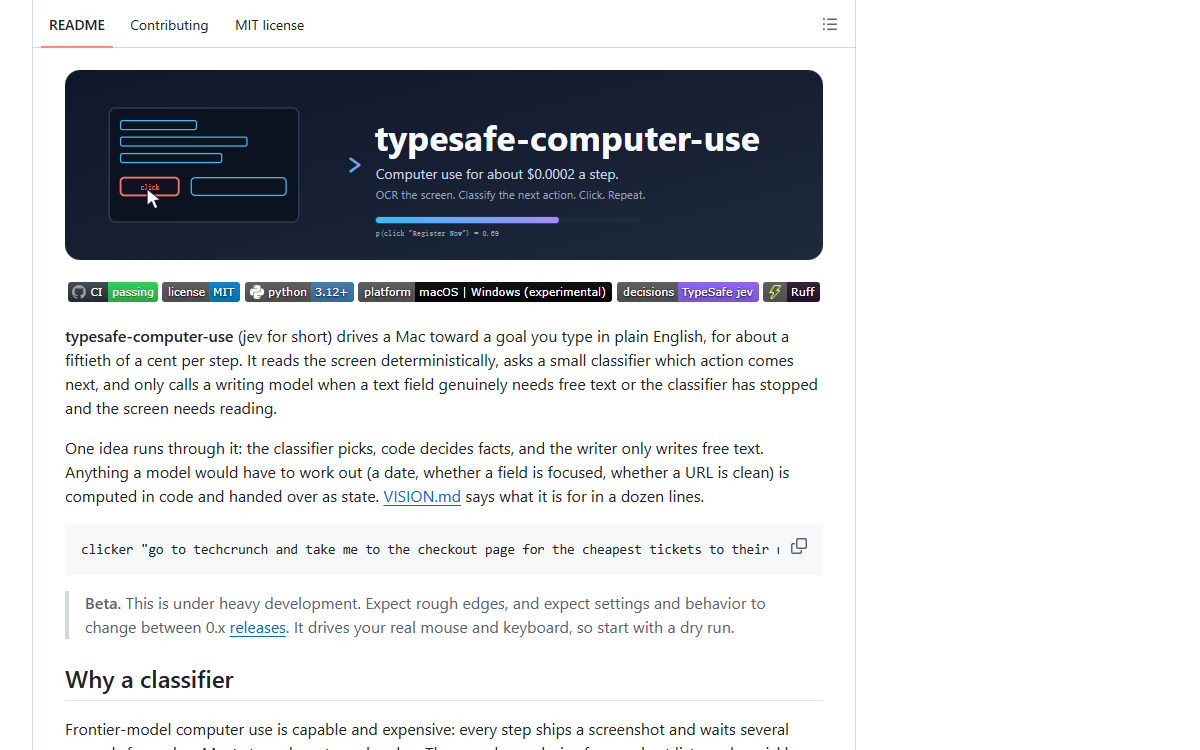
It drives a Mac toward a goal typed in plain English: OCR and the accessibility tree read the screen, a TypeSafe classifier picks the next action, and a writing model runs only for free text. A decision costs about $0.0002, a fiftieth of a cent, against $0.032 for a frontier model reading the same screenshot.
What it is
A computer-use agent for macOS, written in Python, built so that a step costs about $0.0002 where a frontier model reading the same screenshot costs $0.032. It reads the screen deterministically — Vision OCR over a crop of the frontmost window, plus the labelled controls from the accessibility tree — has code add the facts a model would otherwise have to work out, and sends one TypeSafe request that answers three Choices: which kind of action, which item, which site. A writing model is called for free text and for the answer at the end, and never to pick an action. Thirteen action keys cover clicking, pressing hidden controls, typing, browser navigation, the keyboard, scrolling, waiting and stopping. Every step writes a run folder holding the capture, the payload sent and every probability the classifier returned. There is an experimental Windows adapter over UI Automation and Windows.Media.Ocr, an opt-in browser backend that reads the DOM over the Chrome DevTools Protocol, and an OSWorld agent that runs one benchmark task beside OSWorld’s own GPT agent. MIT licensed, 1,102 stars.
Who built itA software engineer who published the repository under his own name in September 2026 and wrote 109 of its 116 commits; the other seven came from seven different people, one commit each. The history carries 112 co-author trailers, 105 of them naming a Claude model — 86 “Claude Fable 5.1”, 13 “Claude Opus 5.5” and six marked with 1M context.
How it is put together
The parts · 6A layered loop with one organising rule: the classifier picks, code decides facts, and the writer only writes free text. Nothing a model would have to work out is left to it — the date on a block and how far off it is, whether a field is focused, whether a URL is clean, the row a repeated label sits in, and the actions already tried on this screen are all computed in code into a state object, and the model is asked only for a choice. That choice arrives as one request answering three Choices — kind, item, site — each returning a full probability distribution and a confidence the loop can gate on, with the winner executed by a handler that returns the history line for the step. Perception sits in front and is deliberately two-source rather than one: OCR sees text and misses icons, the accessibility tree sees icons and covers only the apps that publish one, and every item carries which source produced it. Behind it sits platform_adapter.desktop, the single way to the operating system, where the tree walk takes its children, attributes and actions as callables so only the macOS and Windows bindings differ and nothing else in the program knows which OS it is running on. In front of it the writer is boxed in on every side: it never picks an action, it answers in structured replies, its URLs and its filled values are checked in code, and its stop can be overruled by a second TypeSafe call on the field it wrote.
- typesafe_computer_use/perception.py
- The read side, and at 33 KB the largest module in the package: the capture, the crop it is read from, the changed-tile cache that reuses OCR lines across steps, block merging, the filter that drops lines echoing the goal, the accessibility item source, and the merge of the two into one numbered list where each item carries its source and, for a repeated label, its row.
- typesafe_computer_use/decide.py and writer.py
- The two model clients, kept apart on purpose: 12 KB builds the state and the criteria, assembles the three-Choice request and runs the second check on a filled field; 19 KB holds the writer, its structured replies, URL validation and the answer with its focus or question, with
openai_writer.pybeside it for the same requests against an OpenAI-compatible endpoint. - platform_adapter.py, macos.py, windows.py, ax_walk.py
- The one way to the platform. macOS is Quartz, the accessibility API, AppleScript and Vision OCR; Windows is UI Automation, SendInput and Windows.Media.Ocr and is labelled experimental; the bounded tree walk is shared by both, with node and time caps and a prune list for frames that lie. Adding a third platform means one adapter and one line.
- runner.py, actions.py and the bookkeeping modules
- The step loop with its stop rules and the hand-off out to the writer and back; one handler per action, each returning the history line that is the only record of what an action came to;
outcome.pycomparing the capture after an action with the capture it was taken on;calls.pycounting requests per model at the two clients;timing.pyphase stopwatches and the timing line;report.pyfor the annotated screenshots. - typesafe_computer_use/browser/ and typesafe_computer_use/osworld/
- Two ways in that are not the desktop. The opt-in browser backend reads the DOM over the Chrome DevTools Protocol, starts its own Chrome on a temporary profile and is the one place that talks to a browser; the benchmark package makes the loop an OSWorld agent, with the reset and predict entry points, an adapter from the observation back to input code, and a light tree walk that runs inside the VM.
- tests/, scripts/ and infra/gcp/
- A simulated computer in
tests/world.pydriven by the real step loop with a policy standing in for the classifier, and 80 KB of scenarios on it — the largest file in the tests tree and bigger than any module in the package — where a failure is treated as an architecture finding.scripts/osworldandscripts/osworld-gcpdrive the benchmark, andinfra/gcpdescribes the machine they drive it on in Terraform.
Choices, and what they beat
A classifier answering one Choice per step over a frontier model reading the screenshot and planning each step
Most steps do not need a plan, only one choice from a short list made quickly and cheaply with a confidence number to gate on, and the README prices the difference at $0.0002 against $0.032 a decision. The cost is stated in the same place: the big model read the event dates off the pixels and compared them unaided, so that parsing had to be rebuilt as deterministic state.
Read structure before pixels, with OCR as the fallback over making pixels the primary reading of the screen
VISION.mdputs page markup, WebMCP and the accessibility tree first and says why: OCR sees only text, cannot tell a link from the sentence around it, and misses icons and logos. The browser backend measures how far that goes — on three pages OCR recovered only 7 of 13, 7 of 88 and 3 of 85 of the DOM’s labels, under ten percent on real sites — and concludes that a classifier choosing between OCR blocks is choosing between garbled strings.Keep the action set mutually exclusive, and split one decision into three questions over one longer list of actions answered in a single decision
Two options that mean the same thing split the vote and read as low confidence, because confidence measures concentration, and every stall found while building came from such a pair. The worked example is an on-screen Back button that made the click and the keyboard Back split 0.44 against 0.40; dropping the duplicate took the next decision to a 0.71 click.
Say an item is under a popup rather than covered by it over naming the window that covers the item
In a replay of 81 captured requests from screens with a popup, “covered by” drew the classifier toward Escape and lowered its confidence, while “under” left both as they were. The behaviour behind the wording is that picking such an item closes the popup first — with its own close button, or Escape when it has none, and never with its other buttons, because “Restore” reopens the last session — and then clicks the item in the same step.
Never type a password over offering a credential path through the writer
Credential fields come back with nothing to fill, the browser backend never collects an input’s value and names no element after it so a password on the page cannot reach the classifier, the writer or the disk, and the last ground rule in
CONTRIBUTING.mdis never to add a path that types one. The README tells the reader to rely on the browser’s password manager or a sign-in button the OCR can read.
Read fromdocs/how-a-step-works.md (16 KB), docs/layout.md, docs/browser-backend.md, docs/known-limits.md, VISION.md, CONTRIBUTING.md, and pyproject.toml with its dependency list, entry points and lint configuration.
Build log
6 stages- 01
A fiftieth of a cent a step, and what the number rests on
The price is in the README’s first sentence — a Mac driven toward a goal typed in plain English “for about a fiftieth of a cent per step” — and the table under it is the measurement behind the claim: the same screenshot, the same goal, one decision each. The input side is matched on purpose, 4,882 tokens for jev against 4,785 for Claude Opus 5 reading a bare screenshot, in a row that labels the two “same”. With input held equal the whole gap sits on the output side, and the README says why: TypeSafe answers a
Choiceover up to 255 options with a full probability distribution and a calibrated confidence, in a few hundred milliseconds, with free output tokens. So $0.0002 a decision against $0.032, 155 times cheaper; $0.003 against $0.40 to $0.90 for a twelve-step task; and about 1.5 seconds end to end with capture and OCR against about 5.5. The arithmetic itself is not in the material. There is no per-token rate, no multiplication and no invoice anywhere in the repository, so how 4,882 input tokens and free output tokens become $0.0002 is never shown. The figure is a measurement whose inputs are visible and whose formula is absent, and the scale is corroborated from another direction: the benchmark rows committed underbenchmarks/osworld/carry a cost per task, and the six-task batch recorded in PR 53 runs from $0.0013 to $0.0054. - 02
Reading the screen instead of looking at it
The first commit is named “Screen OCR to TypeSafe Choice to mouse click prototype”. The README’s case: a frontier model ships a screenshot every step and waits seconds for a plan, while most steps need one choice from a short list, quickly and cheaply, with a confidence number to gate on. The cost is stated in the same document. The big model read the event dates off the pixels and compared them unaided, and the classifier needed the date parsing in
dates.py, because “every piece of reasoning the frontier model does for free has to be rebuilt here as deterministic state”. Perception is two-source because neither is sufficient. On ten apps on one Mac the accessibility tree labelled 100 percent of Finder’s on-screen controls and 88 percent of Chrome’s, but none of Spotify’s, whose CEF shell exposes three window buttons, so the tree is “a bonus source, never a replacement”. OCR is the expensive half, about two thirds of a step, and it charges by the amount of text rather than the number of pixels, so reading less is the only real saving: a crop of the frontmost window plus the menu bar strip over the same columns, and a cache that keeps the OCR lines of tiles that did not change between captures. That difference is measured rather than asserted: the opt-in browser backend reads the DOM instead of pixels, and against it OCR recovered only 7 of 13, 7 of 88 and 3 of 85 of the DOM’s labels. - 03
Three Choices, and a rule against two options that mean one thing
One request answers three Choices — which kind of action, which item, which site — plus a fourth when there are hidden controls to offer. The kind list runs from clicking and pressing an off-screen control through typing, browser navigation, the keyboard and scrolling to waiting, done and stop: thirteen keys. The design doc explains the split: “Every stall found while building this came from two options that meant the same thing. Confidence measures concentration, so overlapping options always read as doubt. Keep the action set mutually exclusive.” The rule is the first ground rule in
CONTRIBUTING.md, and the clearest case is a reader’s report against it. In System Settings the window carries its own labelled Go Back button, so clicking it and choosing the keyboard Back are the same move: with a focus of going back, the kind question split 0.44 for the click against 0.40 for Back. Dropping the keyboard Back whenever the items include a real accessibility button labelled “Back” or “Go Back” — not just text that happens to read that way off the screen — moved the next decision to a 0.71 click. Two contributors wrote a fix independently, and the browser loop carries the same instinct differently: an option the loop cannot execute is filtered out before the classifier sees it, since a guaranteed stall reads as model doubt. - 04
How a wrong click is caught, and the two places it still is not
A click is not a mouse click if it does not have to be: an item that came from the accessibility tree is pressed through the tree, “so the press lands on the control rather than on whatever covers it”, and a mouse click at the centre of the box is the fallback, after closing whatever popup is in front. The bug behind that rule is written up. On one benchmark task, in all three trials, Chrome’s “Restore pages?” bubble sat over the bookmark manager’s top-right corner, the classifier picked the page’s Organise button, and the click closed the bubble instead; the run spent two steps and about thirteen seconds finding out. The fix treats a popup as a window beside the browser window and closes it with its own close button, or Escape when it has none, never with its other buttons, because “Restore” reopens the last session. The wording was tuned on a replay of 81 captured requests from screens with a popup, where calling an item “covered by” the popup drew the classifier toward Escape and lowered its confidence, while “under” left both as they were. The coarser net is the stall rule: each step keeps a signature of the screen, and the run stops after three actions in a row that left it unchanged, or after two already taken on that screen earlier. Those rules lean the other way on purpose — when more changes than that every step, a run getting nowhere reaches its step limit, because they “err toward running on, never toward stopping a run that is making progress”. A run also stops on Ctrl-C or by slamming the mouse into the top-left corner, checked before every click, key and scroll and between typed characters, so it stops mid-word. Two gaps are reported and still open: a typed field whose value does not read back falls back to keystrokes aimed at whatever holds focus by then, and the browser loop ends a run at a satisfaction score of 0.5, a coin flip that one report says overrides a confident click.
- 05
Thirteen days, one beta release, and a README cut from 725 lines
The repository was created on 2026-09-16 and the last commit before this record landed on 2026-09-29: 116 commits in thirteen days, 109 of them by the author. There is exactly one release, published on 2026-09-22 and titled “v0.2.0 (beta)” with the prerelease flag set, and two tags,
v0.1.0andv0.2.0; the project file says 0.2.0. The beta notice is direct: “This is under heavy development. … It drives your real mouse and keyboard, so start with a dry run.” The documentation was reorganised once, with the numbers recorded: the README went from 725 lines to 146, keeping only what a newcomer needs in the first two minutes, and everything else moved intodocs/, one page per topic. Because the tool drives a real computer — usually the maintainer’s own Mac while they are using it — the rules written for agents working on it say an agent must ask first, every time, before anything that would take over the screen, the input, the apps or the cloud machine, and one approval covers that command, not that kind of command from then on. Tests are kept off the machine by a guard intests/conftest.pythat makes every call which would reach it refuse, and a new call must join the guard in the same change. A task the loop cannot do becomes a scenario on a simulated computer intests/world.py, driven by the real step loop with a policy standing in for the classifier, and left failing until the loop can do it, because “every stop rule in the loop was found or fixed that way”. The limits are written down rather than left to be discovered: only the main display is captured, an icon-only button in a terminal, a canvas or Spotify reaches neither source, and using the machine during a run fights it for focus and the cursor. - 06
The benchmark, a failure kept on the record, and the outside contributors
jev runs in OSWorld as an agent beside OSWorld’s own GPT agent on the same task, with the same fifty steps and the same two-second pause after each action. On the first real Chrome task, after four runs and a list of fixes, jev finished with a score of 1.0 in six clicks, while the comparison agent never ran because the account’s access to the machine ended mid-session. The change the author held open on purpose is the revealing one. OSWorld waits a fixed two seconds after every action, which charges per step and penalises an agent that takes more, cheaper steps, so the wait went to zero — but jev’s own “wait” action pointed at the same constant, so at zero a wait waited nothing. At zero seconds the run solved one task of six against six of six at the baseline, and the causes are recorded rather than summarised: the screenshot is taken before Chrome has drawn the page; jev’s tree is fetched after that screenshot, so the two disagree; and a refused action sends nothing, so no new observation arrives. The pull request says it is “held open by the maintainer’s request: speed and accuracy get weighed across this and the next two changes before anything merges”, and the failing rows were committed in the meantime. A file kept for the comparisons that do not flatter the design records that jev sees only its last eight actions as text and cannot tell whether an action worked, and that the classifier picks the same item for the same request only about 95 percent of the time. The outside contribution is thin: seven people other than the author, one commit each, and the thirty most recent issues and pull requests, numbered 31 to 60, are largely theirs. One reader filed six numbered bugs; another posted seven macOS bugs from three small tasks — a multiplication in Calculator, a new file in a text editor, a link click in a browser — with 740 passing tests. The seventh only a real machine produces: a shortcut held Command down after the press, so every letter typed afterwards arrived as a Command shortcut, nothing reached the document, and the next click landed as a Command-click.
Adjacent records
All records →No. 078
OpenChatCut
A local-first video editor whose editing surface is a conversation: the built-in agent and external Codex or Claude Code sessions call the same editing tools the interface itself uses, so every change lands on a real multi-track timeline as a clip, transition, caption, effect or audio item that can still be dragged, undone and exported. Projects and media stay on the machine, and preview and final render both come out of Remotion.
No. 113
Chat On Steroids
A desktop workspace that gives ChatGPT local tools over MCP — files, a shell, terminals, the desktop — plus a companion Chrome extension that drives the user’s own ChatGPT conversation through a tunnel, so the model works on a real project while the app records every tool call and moves the session into a fresh chat when the old one fills up.
No. 109
Whiteboard
A desktop app that puts an agent and a person on the same canvas: the agent draws the review — sequence diagrams, entity relationships, code peeks pinned to specific commits — and every shape on that canvas links back to the code it was drawn from.